Records Redesign for Online Library Catalog (IUCAT)
One of my first projects at IU Libraries was to lead the redesign effort of our online catalog, IUCAT. As a primary research tool for our external users, (e.g., faculty and students), and a tracking resource for librarians, it is one of our most widely used and in-demand platforms.
The research portion of this project was conducted prior to my time at IU Libraries. This consisted of a comparative analysis of other online library catalogs, as well as ticket analysis of user feedback. The primary design problem identified was that records were too long and randomly organized. With this in mind, I used eye scan research in UX literature to understand that most users, when presented with long page content, will scan in an “F” shaped pattern. What this meant was that our bibliographic records needed to surface important availability and item location information from the bottom of the page (beneath the metadata), and push it to the top, while keeping the carefully maintained metadata librarians rely on as well.
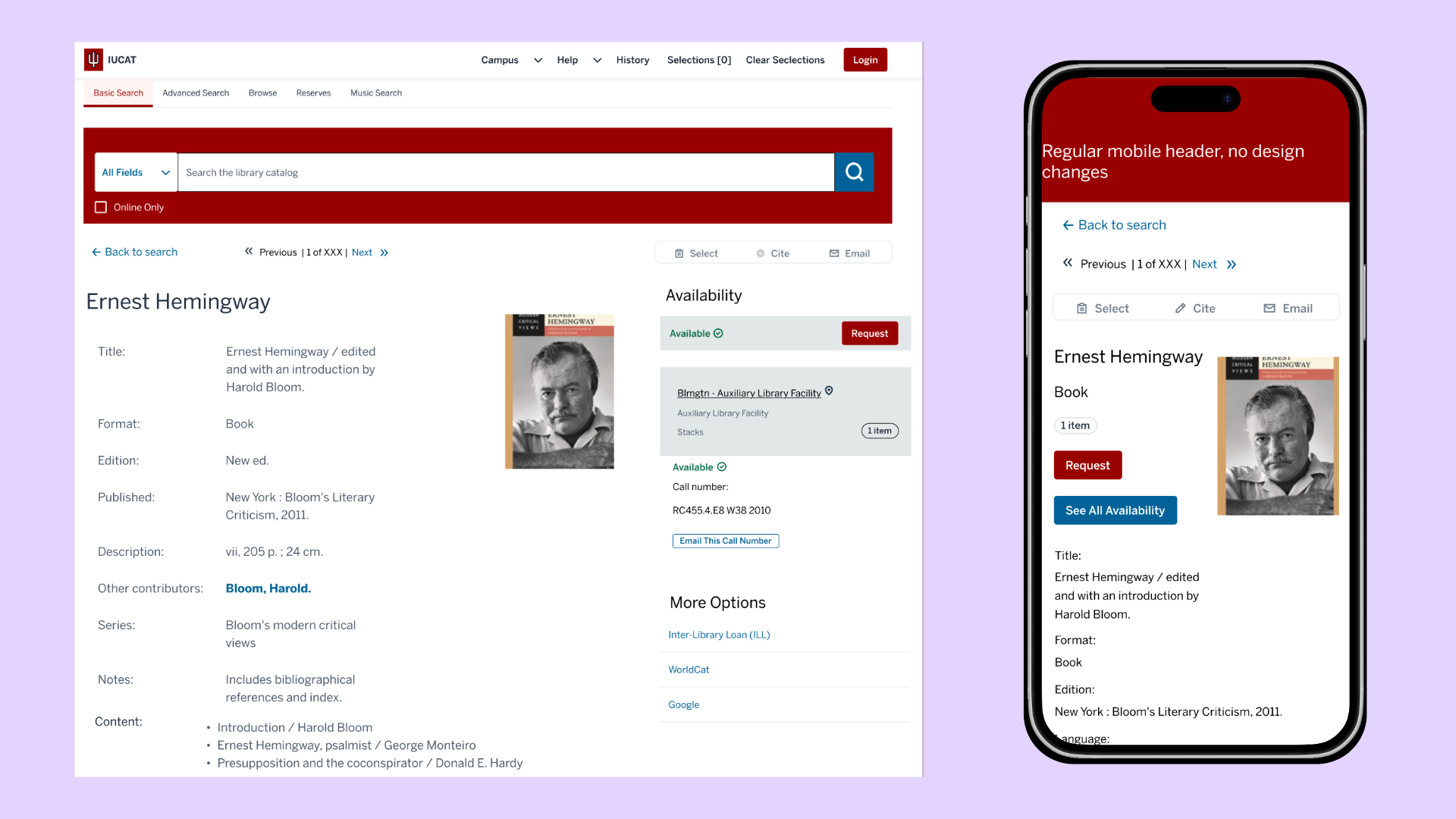
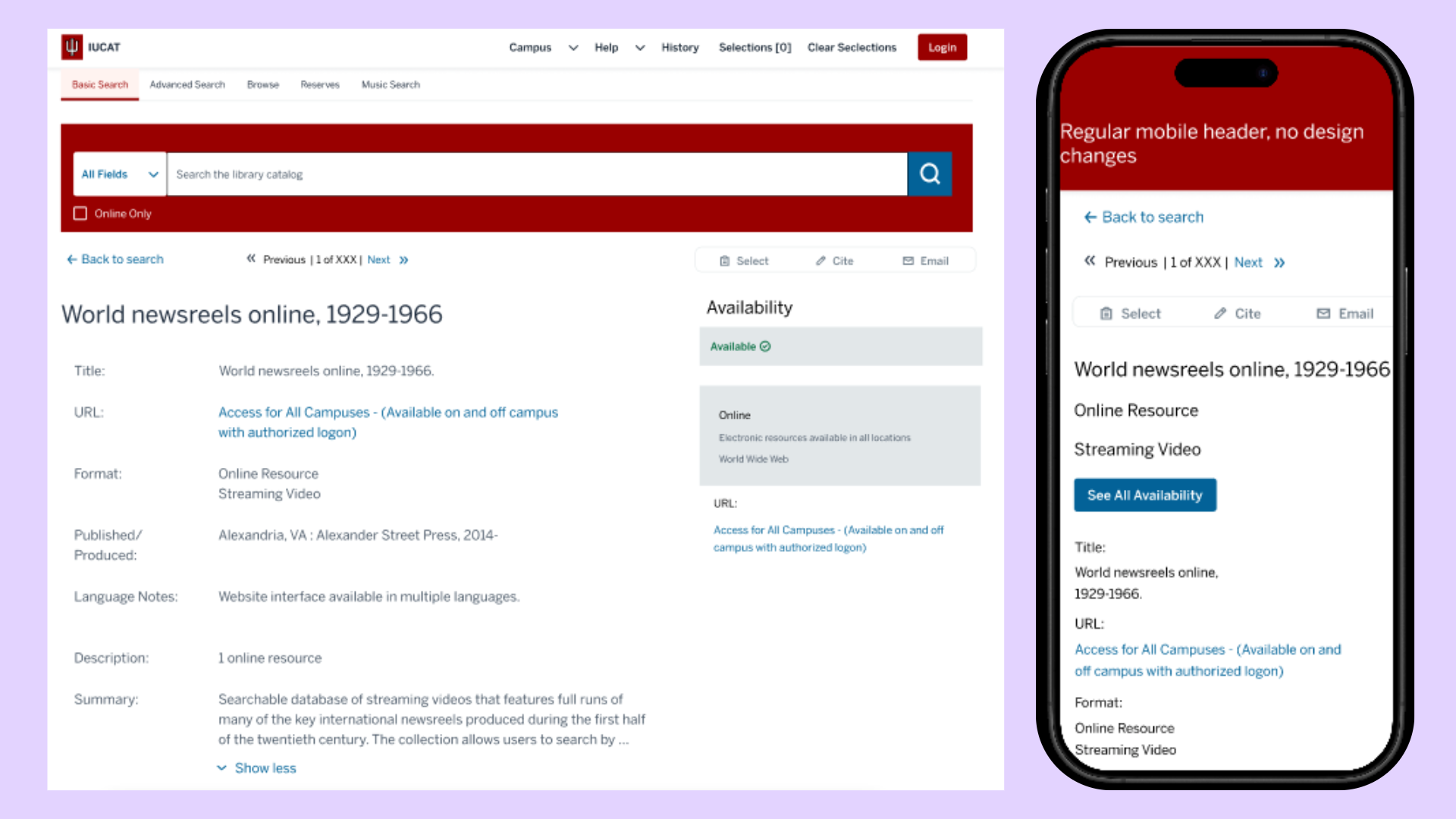
This picture shows two images of a redesigned bibliographic record, one for desktop rendering and the other for mobile. The screen for the desktop has been redesigned from one single column of information into three: far-left column shows the metadata, middle column shows the item image, and the far-right column shows the location information. The mobile version shows title and item type information at the top of the screen, with an item’s cover image to the right. A user can click on the “See All Availability” button to view the location information presented as a modal.
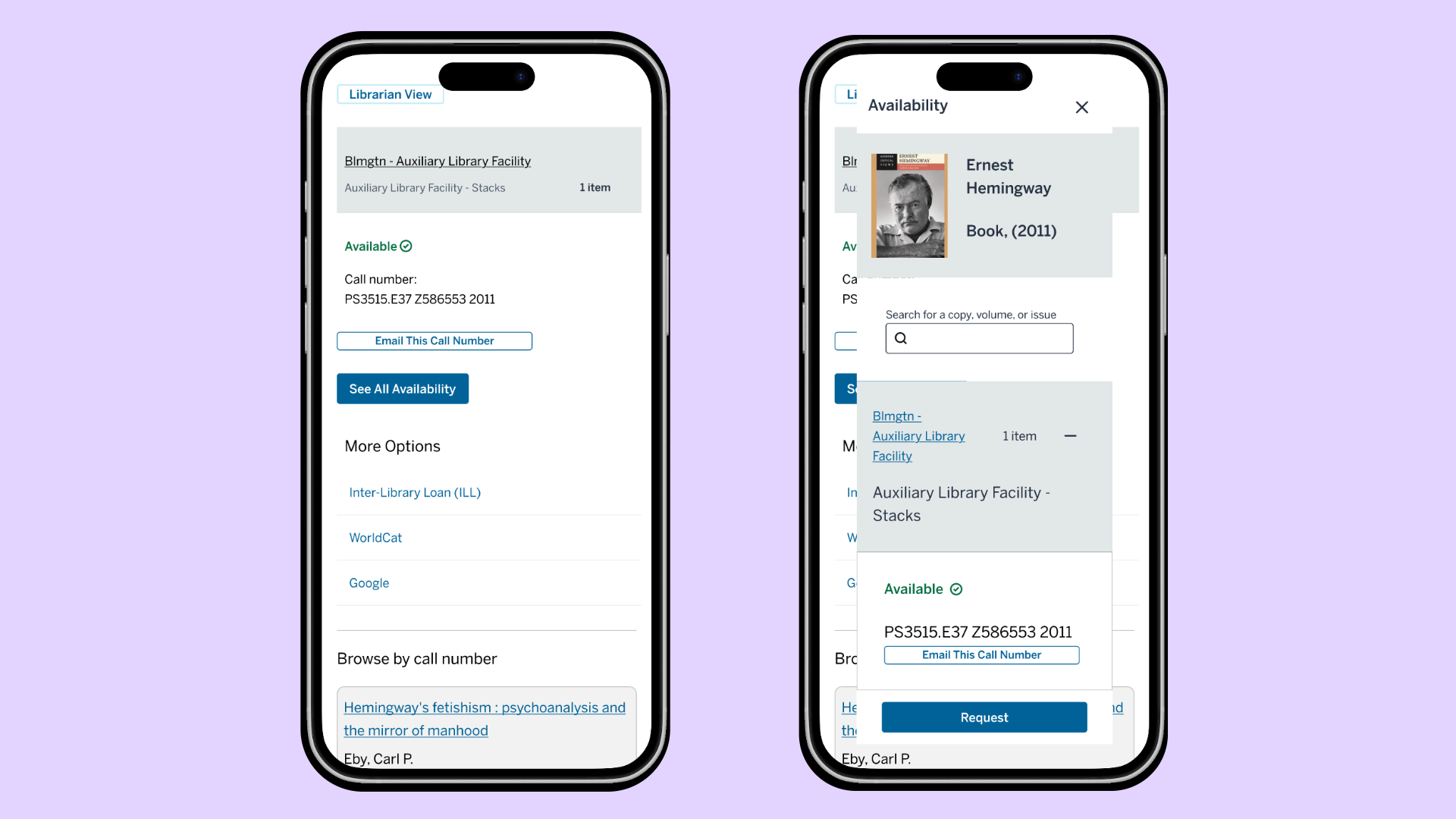
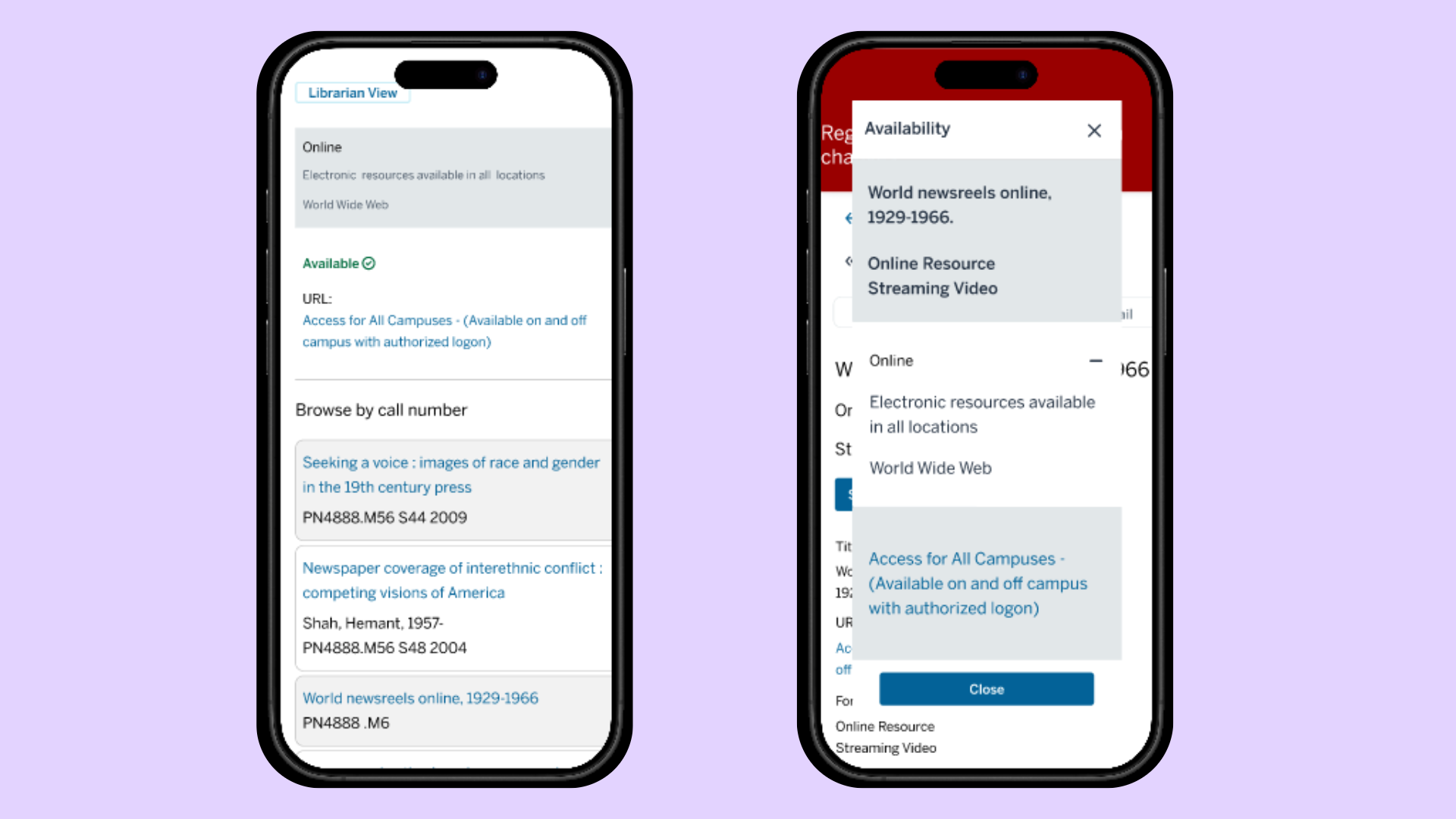
This picture shows two more images of the previous record’s bibliographic information on mobile as the user scrolls down the page. The first image shows the location information with a repeated “See All Availability” button. The second image shows the modal that appears when a user selects the availability button, which is a full description of the availability information and the ability to request the item.
Beyond the most basic record (i.e., a single physical book), there are numerous “edge cases” to account for in a library catalog. For example, users are able to request serials, electronic records (journals, books, videos/other multimedia), micro-film, newspapers, and more. Each item type presents a different representational challenge in the digital space. Please see some of these edge cases below.
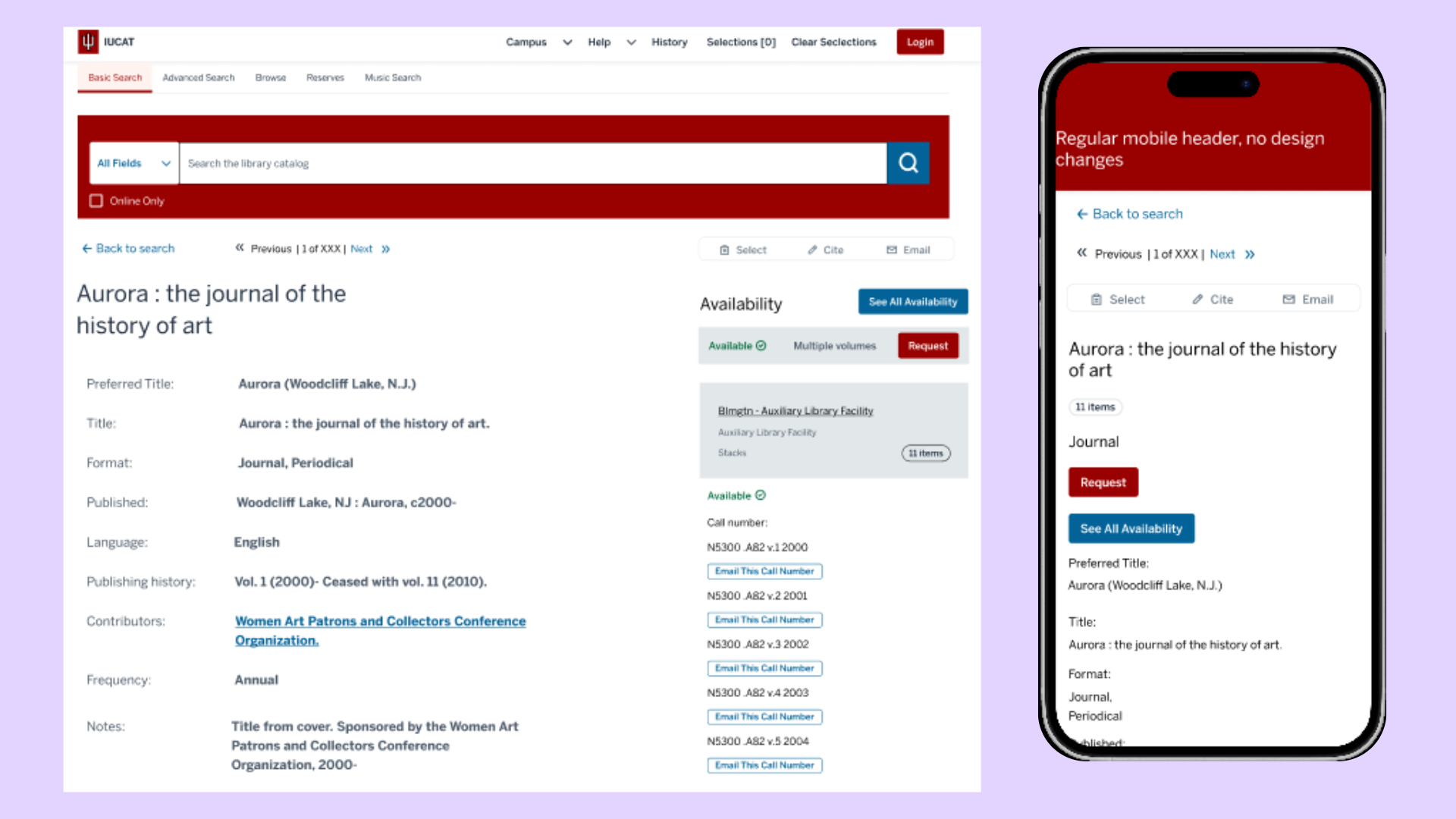
Here is a picture depicting the top half of a redesigned desktop (and mobile counterpart) journal record. In the desktop image, the right-hand side availability column shows the record is available and has multiple volumes associated with the record. Beneath the location header, a list of the call numbers is provided for all 11 items. The second image shows the mobile version of the record. This record does not provide a cover image, so this section is blank for both renderings.
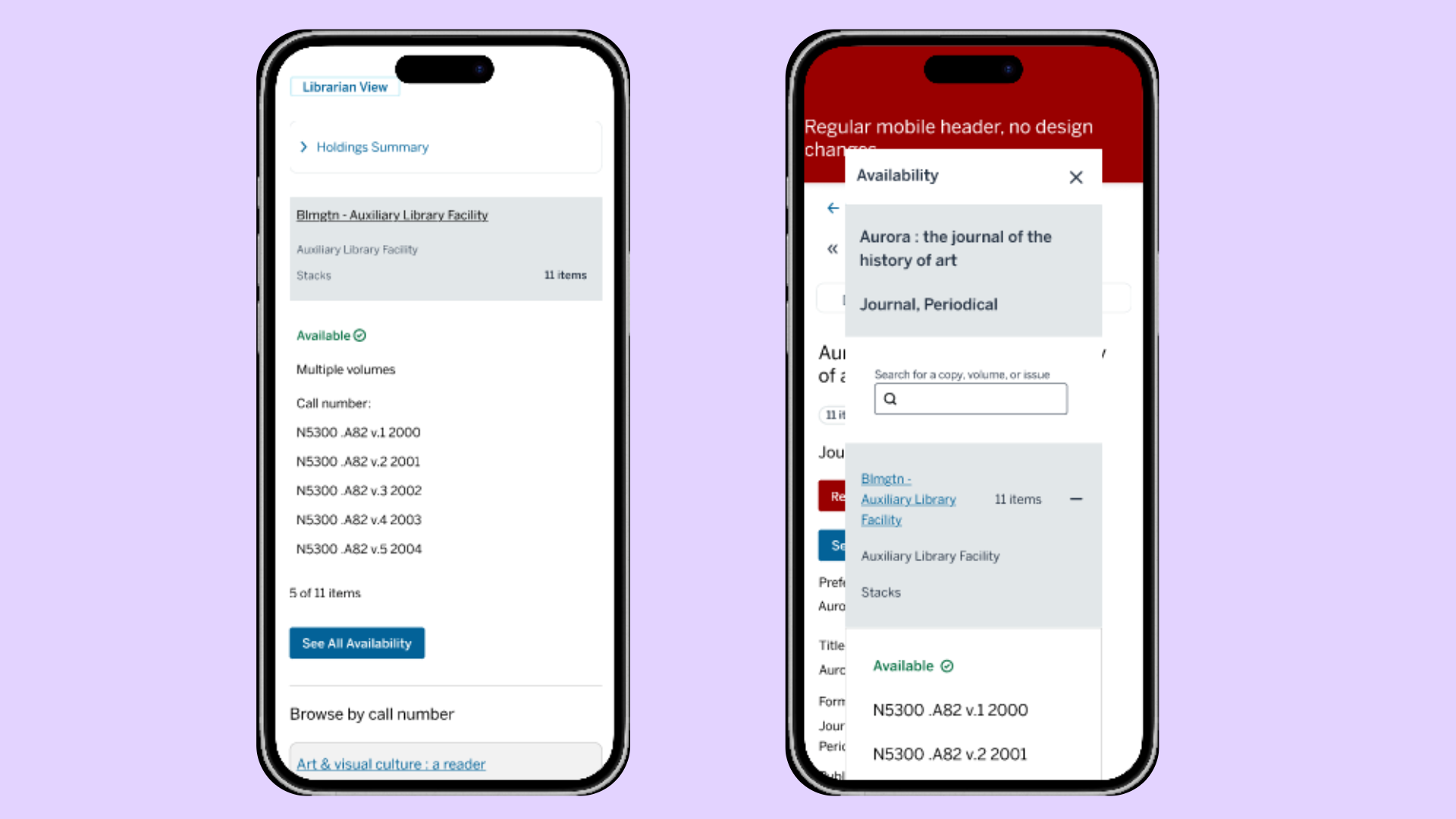
The above is the same journal record as the previous image. These two images depict the a deeper scroll of the record on mobile. The image on the left shows the record’s location and availability information. On mobile a record with more than 5 associated items will require a selection of the “See All Availability” button to view the record’s complete list of items. (Please note: this is common for serials/journals, since many volumes are within a single “record.”) The image on the right shows the top half of the availability modal when a user selects the “See All Availability” button at both the top and the bottom of the page.
Things to do in the future: plans for user testing
Description of screenshots
Description of screenshots